A LITTLE HELP WITH THE DETAILS
Save the date vs. invitation: what each one should say
A save the date asks people to keep a date in mind. An invitation gives them the information they need to attend and respond. They can share a visual style while doing different jobs.
Use a save the date for the early announcement
Include the couple’s names, the event date and the city or general destination once those details are settled. You can add a short note that a formal invitation will follow. An exact street address, meal choices and a detailed schedule do not need to compete with a strong couple portrait at this stage. Avoid sending an announcement with a date that has not been confirmed.
Sample wording: Save the date for [Name] & [Name]. [Full date] · [City, state or country]. Invitation to follow.
Use the invitation for the attendance details
A wedding invitation needs the names, date, ceremony time and venue. If the reception is elsewhere or starts later, make that distinction clear. Include a reply deadline and a working response method. Helpful extras may include a dress code or a link to directions, travel information and accessibility details. Only publish the information you are ready for invited guests to rely on.
Sample wording: Together with our families, [Name] & [Name] invite you to celebrate our wedding on [Full date] at [Time], [Venue and address]. [Reception details.] Please reply by [Date] at [Working RSVP link/contact].
Let the event page hold the longer story
A photo-led card or short film is best when the important message remains easy to read. A matching page can provide more room for a schedule, accommodation suggestions and your story. Decide which details belong on the invitation and which belong on that page, then check that names, dates and locations match across every piece.
Free, DIY or studio-prepared?
A personal message can announce a date without a design purchase. A DIY template can work when you enjoy editing and have time to check the result. A studio-prepared invitation is a different service: you are paying for the composition and final preparation. Compare what you receive, the revision allowance and any page-hosting term rather than assuming all digital products include the same features.
Common questions
Do we need both? Not necessarily. Choose the communications your guests actually need. Travel plans and the time between announcements can affect that choice; there is no single schedule that fits every event.
Does a website automatically handle RSVPs? No. Check the specific service. Our proposed event page links to your existing RSVP destination; this private preview does not provide a guest database.
See the ideas in a design
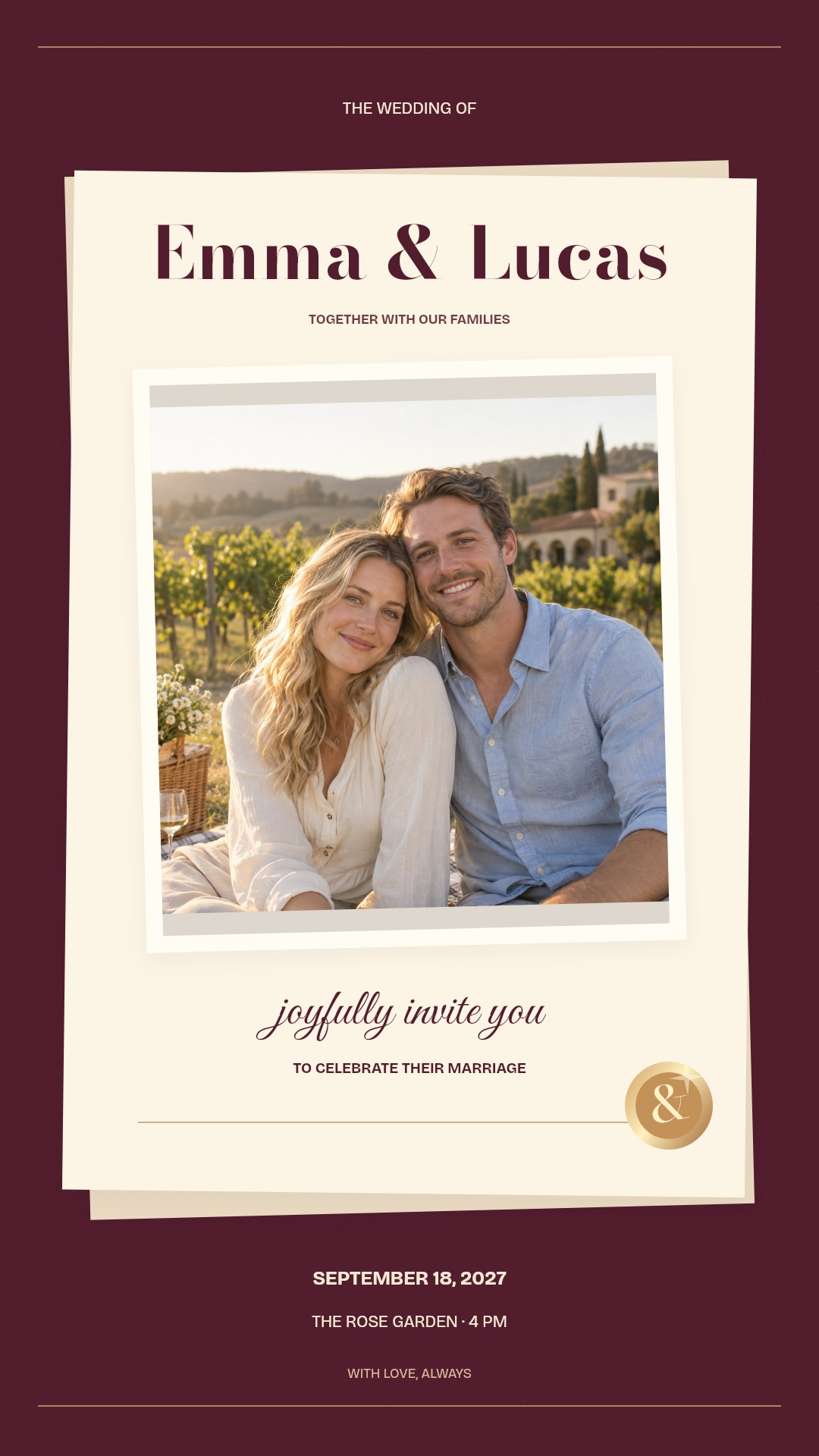
WEDDINGS & ENGAGEMENTS
Written in Wine
A full couple portrait, rich burgundy paper, an ivory panel and a gold-toned seal. Elegant lettering arrives in layers.
Photo design · English sample wording
Explore this design ↗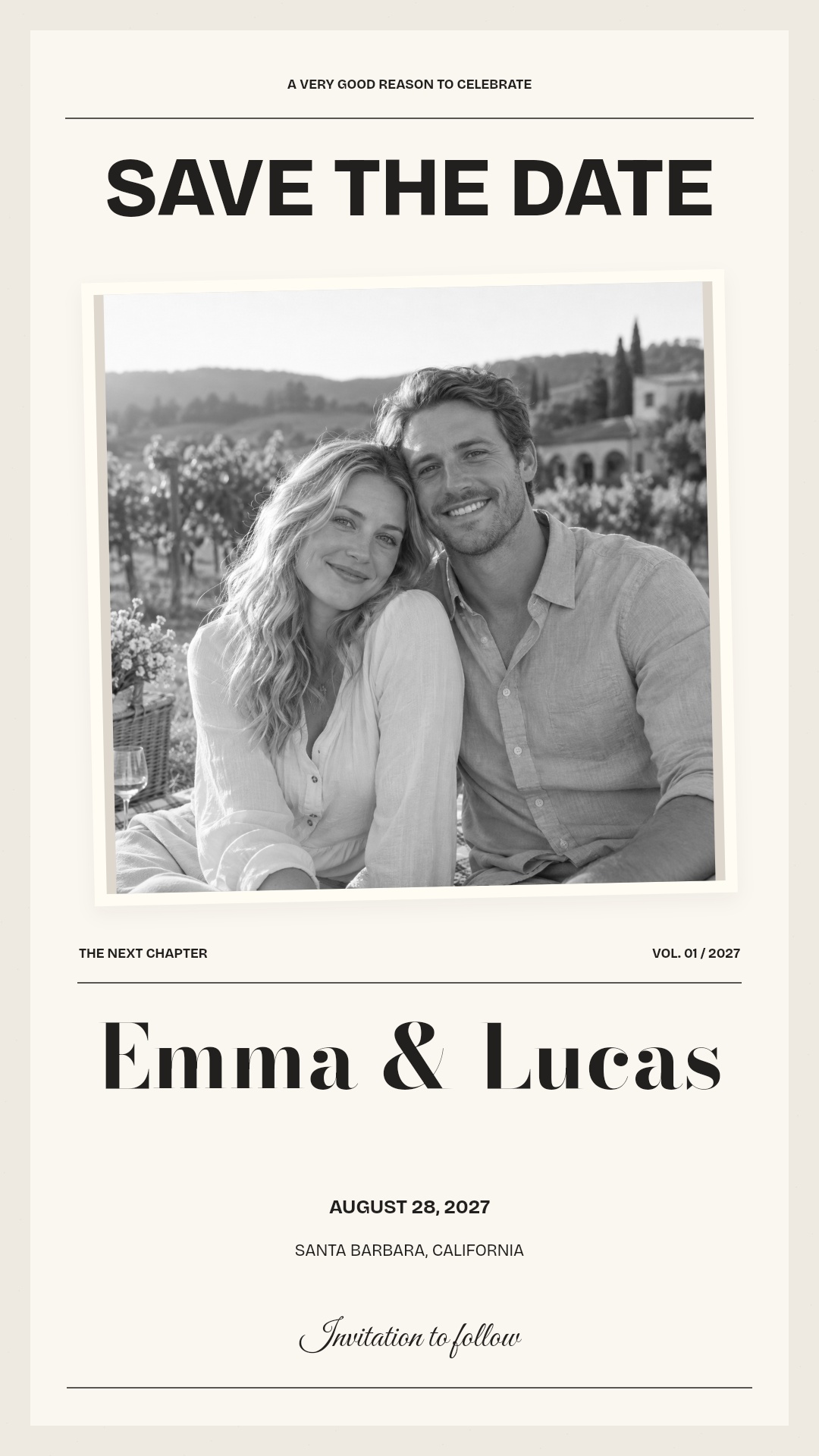
SAVE THE DATES
The Photo Edit
An editorial couple portrait with oversized type and layered paper. A clear, personal announcement of the date.
Photo design · English sample wording
Explore this design ↗Keep planning
IDEAS & WORDING
Birthday invitation wording: clear details, personal tone
A practical checklist and three editable examples for a birthday that sounds like you.
Read the guide ↗IDEAS & WORDING
Video invitation or event page? Choose the right format
Compare what guests receive, what you can update and where replies actually go.
Read the guide ↗IDEAS & WORDING
How to choose a photo for a video invitation
Find the right face, crop and amount of space for a portrait-led invitation.
Read the guide ↗IDEAS & WORDING
What does a custom photo video invitation include?
Compare deliverables and revision scope before comparing prices.
Read the guide ↗IDEAS & WORDING
Custom video invitation or editable template?
Choose by the work you want to do and the files your guests actually need.
Read the guide ↗